How to set your language in KODI/XBMC
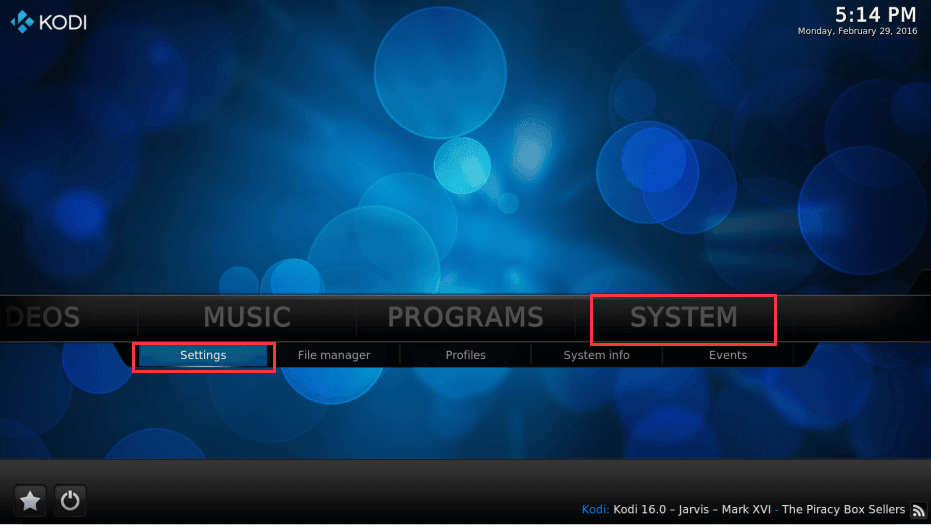
Step 1: Open ZDMC/KODI/XBMC and
Hover over System and then click on Settings
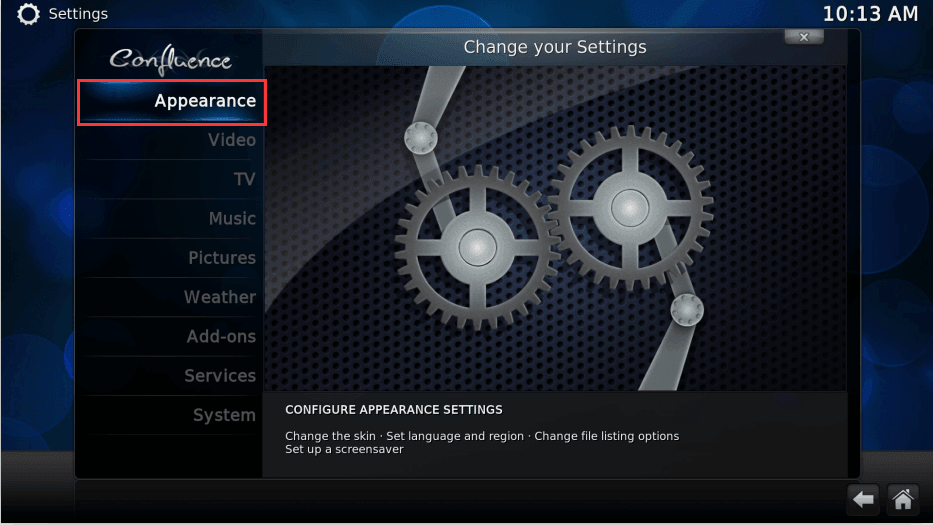
Step 2. Click Appearance
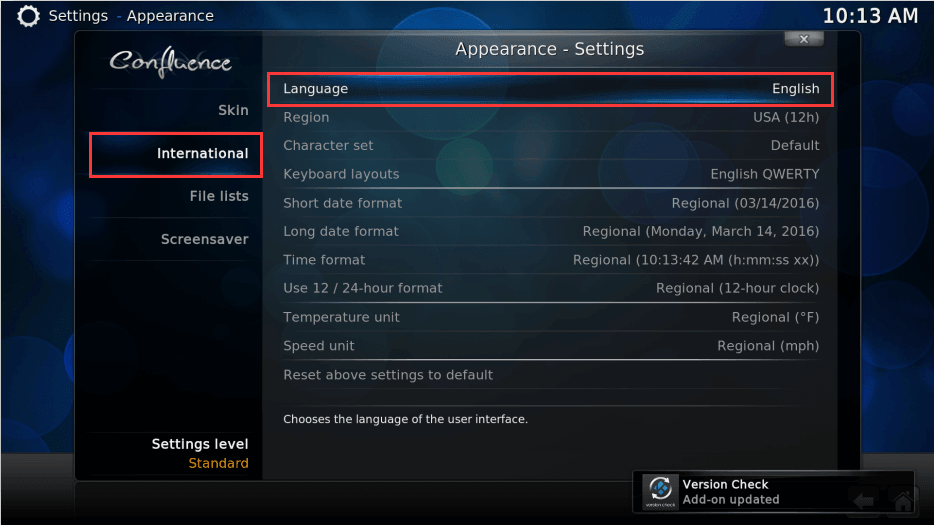
Step 3: Hover over International and
then click on Language
Step 4: Choose the language of your country
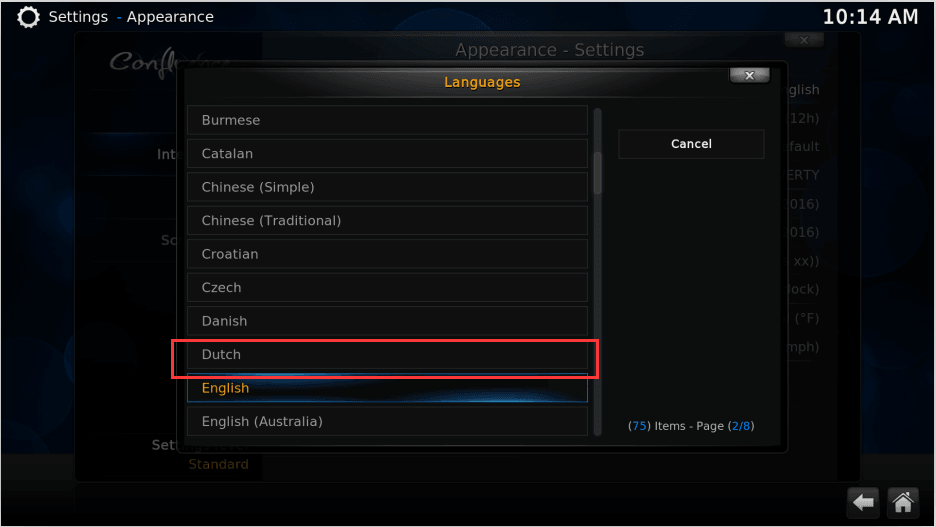
Step 5: When you do a clean install, or start ZDMC/KODI/XBMC for the
first time you will have to set your default language, a language file could be
installed from the internet at this time.
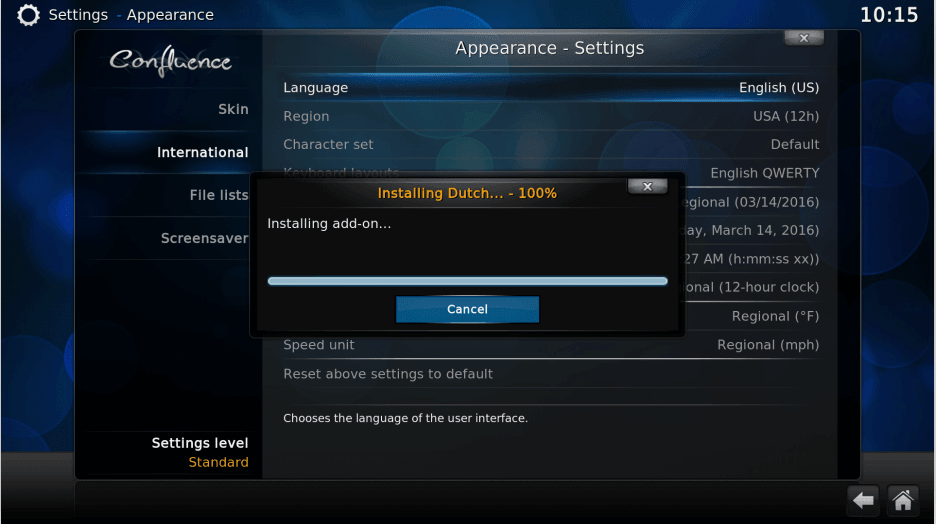
Step 6:If you get gibberish as text, which can happen because of an
unsupported language font, you need to go into your Skin settings and change your Fonts to
a known font.
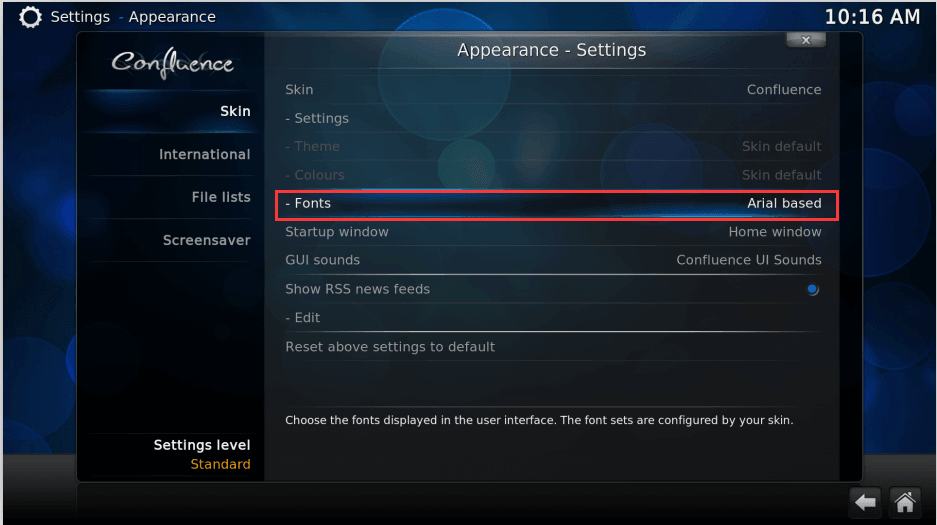
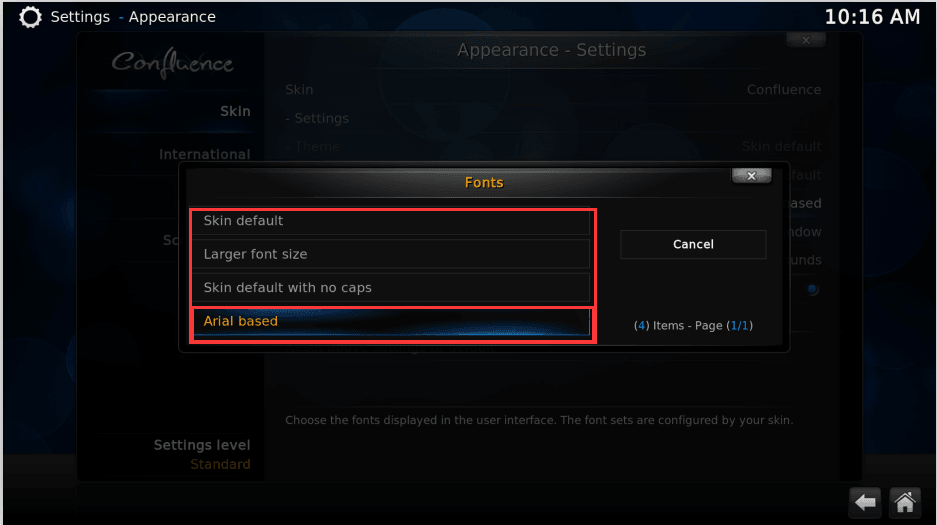
Step 7: Change the font to Arial based, you could try others if the text is still gibberish.
---------------------------------------------------------------------------------------------------------------------------------
Reference: http://kodi.wiki/view/Settings/Appearance
