Products
Media Player
UHD8000
Z3000 PRO
Z30 PRO
Z9X 8K
UHD5000
Z2600
Z2000 PRO
Z20 PRO
Z9X PRO
HIFI Audio
NEO Alpha
NEO S
Accessories
V12
V10 Mini
All Product
Support
Downloads
About Us
Community
Language
English
简体中文
SHOP
Zidoo Store
Amazon US
Amazon EU
Aliexpress
SUPPORT
USER GUIDES
All
How to work
Kodi Tips
About playback
Firmware Upgrade
Basic Setting
Zidoo APP
Tools
FAQ
User Manual
Flash Tool
Third-party APP
Featured Function
VIDEO REVIEWS
How to upgrade Zidoo Z9X, Z10PRO
Preparation
:
1, USB flash disk
2, Upgrade file
3, Copy the upgrade file into USB flash disk, then insert the USB flash disk to any USB port in Zidoo
Note: Needn't to unzip the downloaded upgrade file
Upgrade
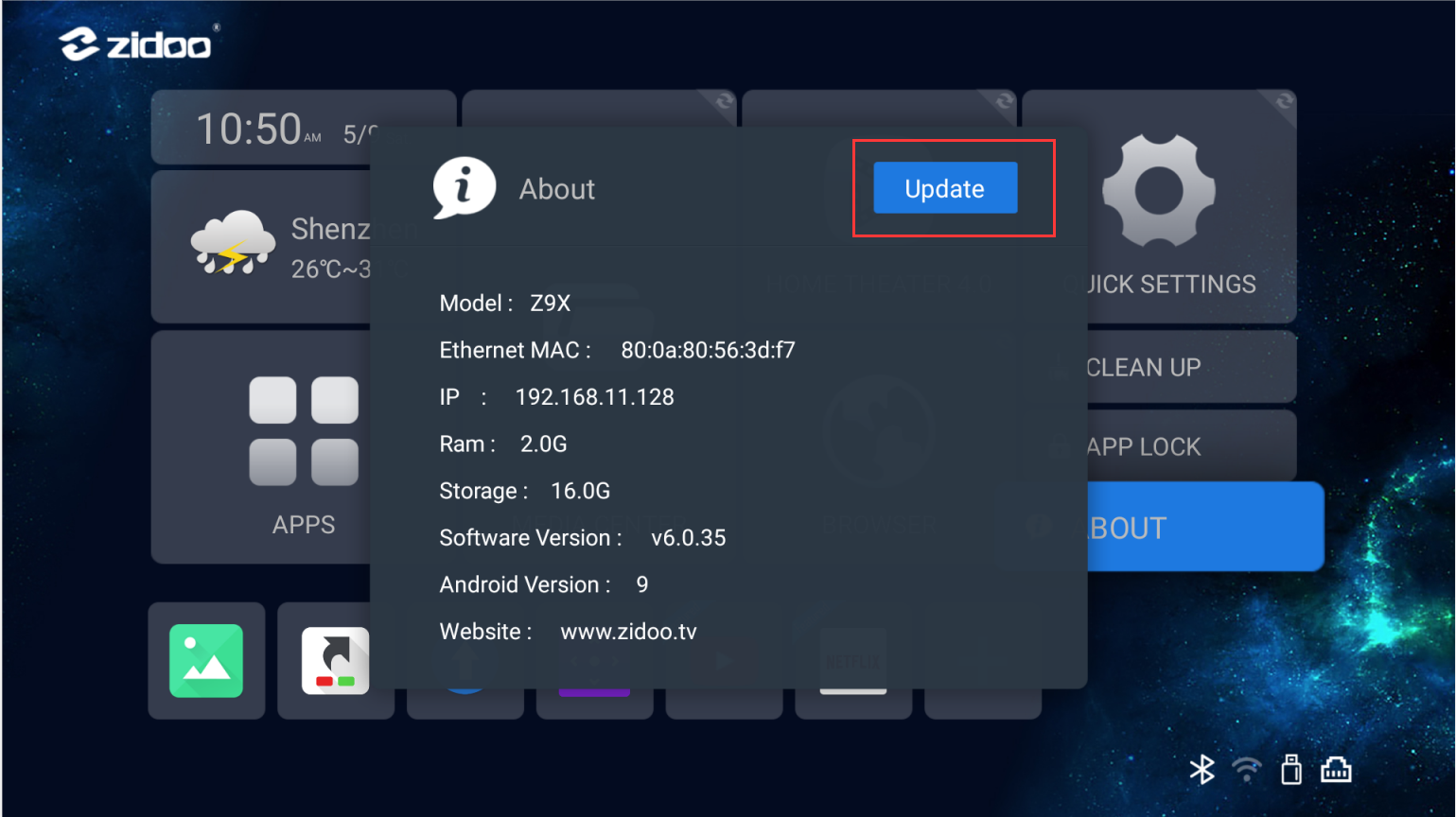
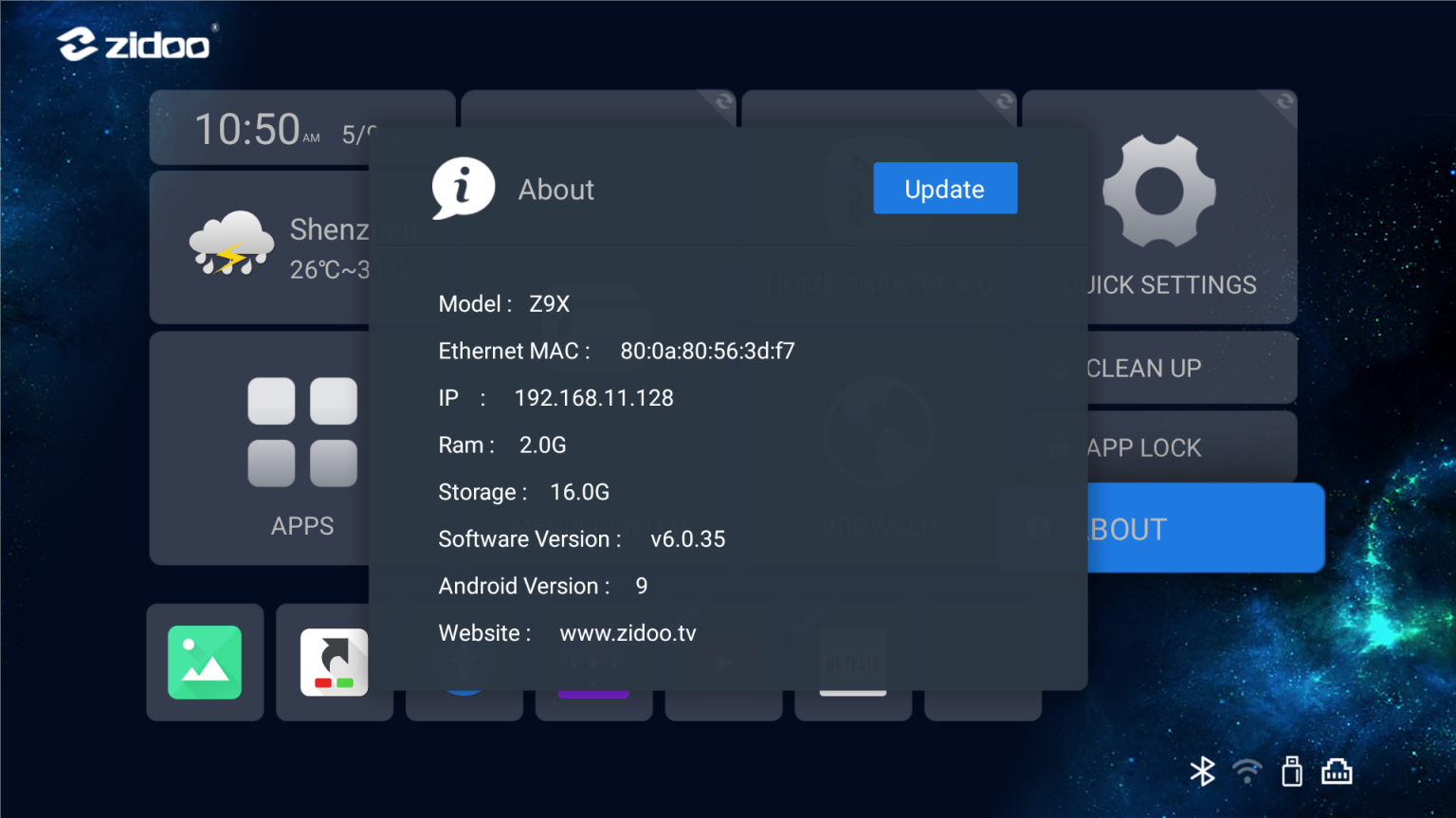
1. Open "About", click the upper right button"Update";
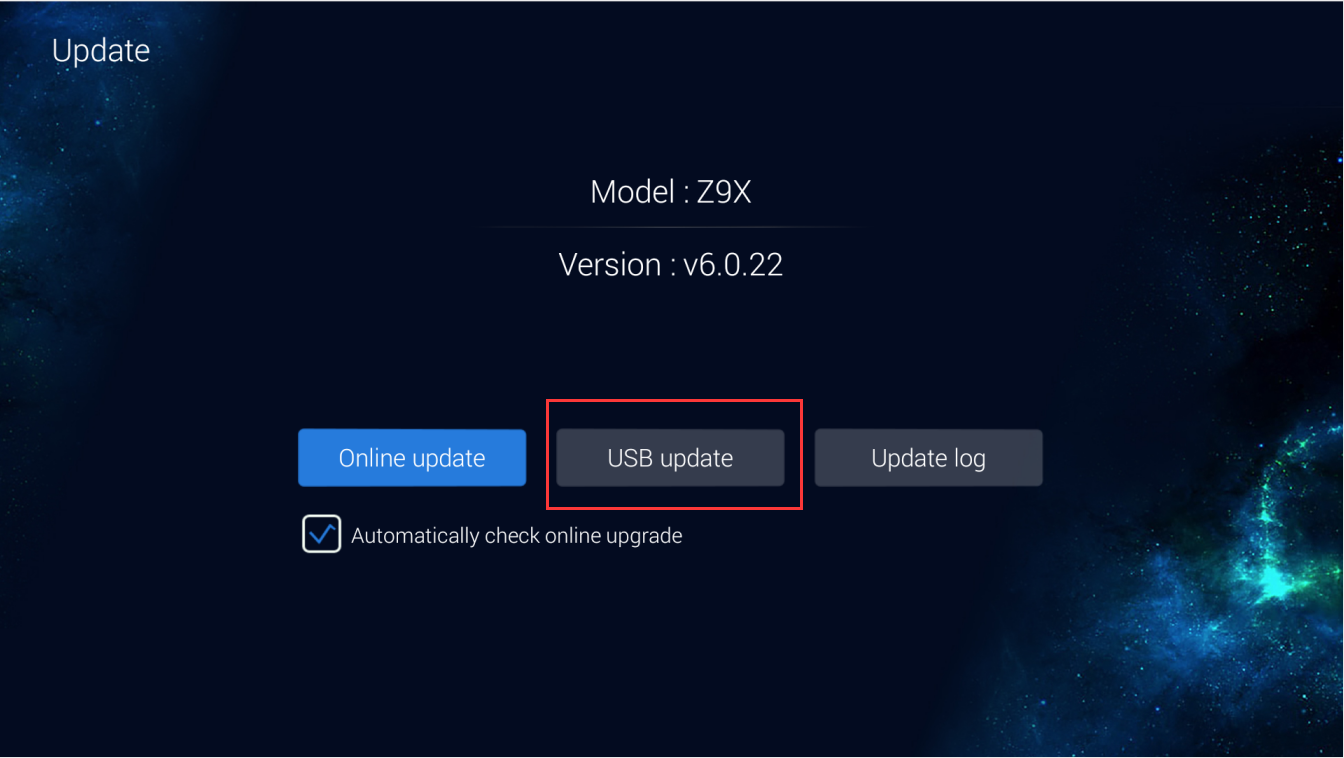
2.Click "USB update";
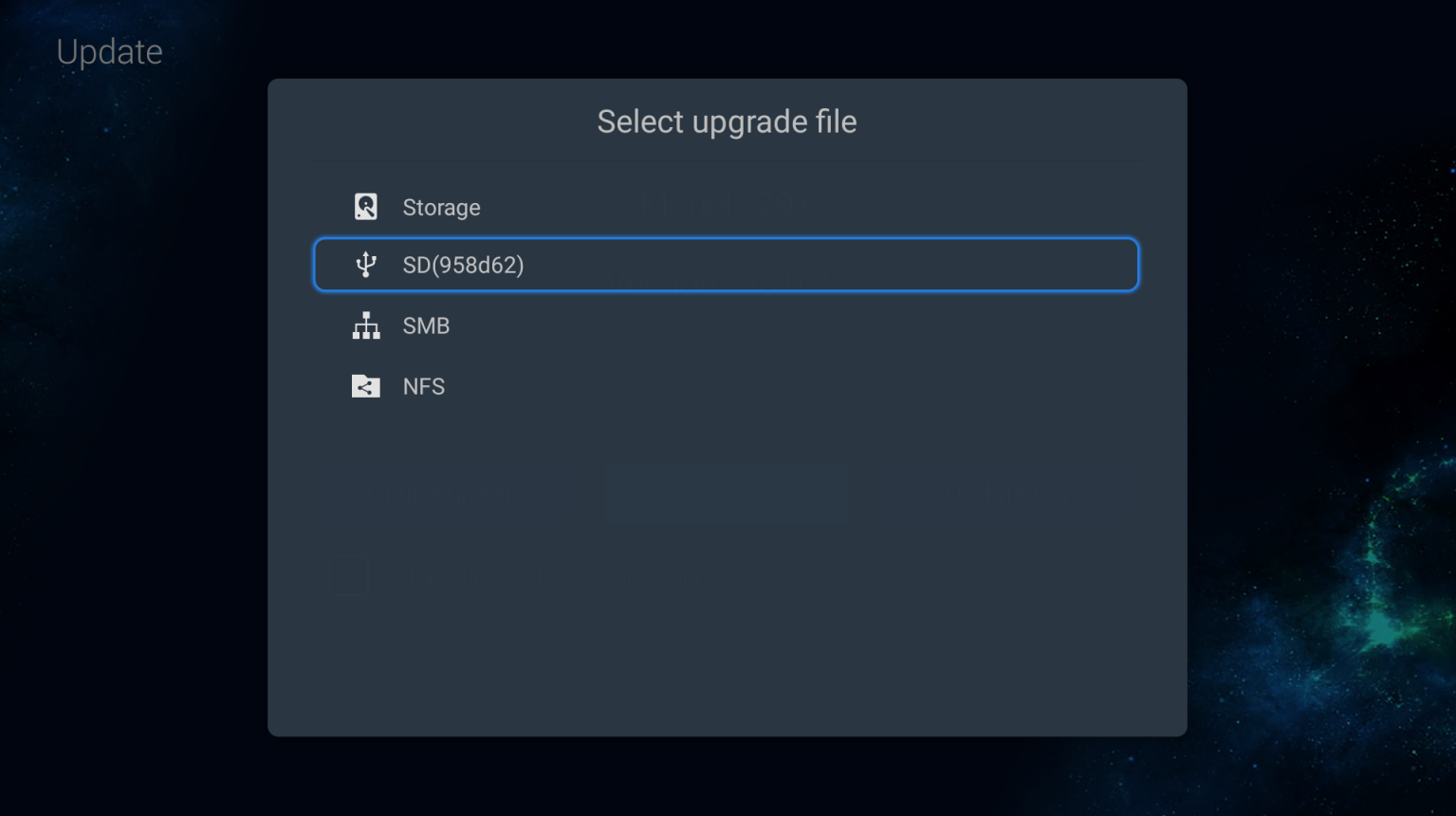
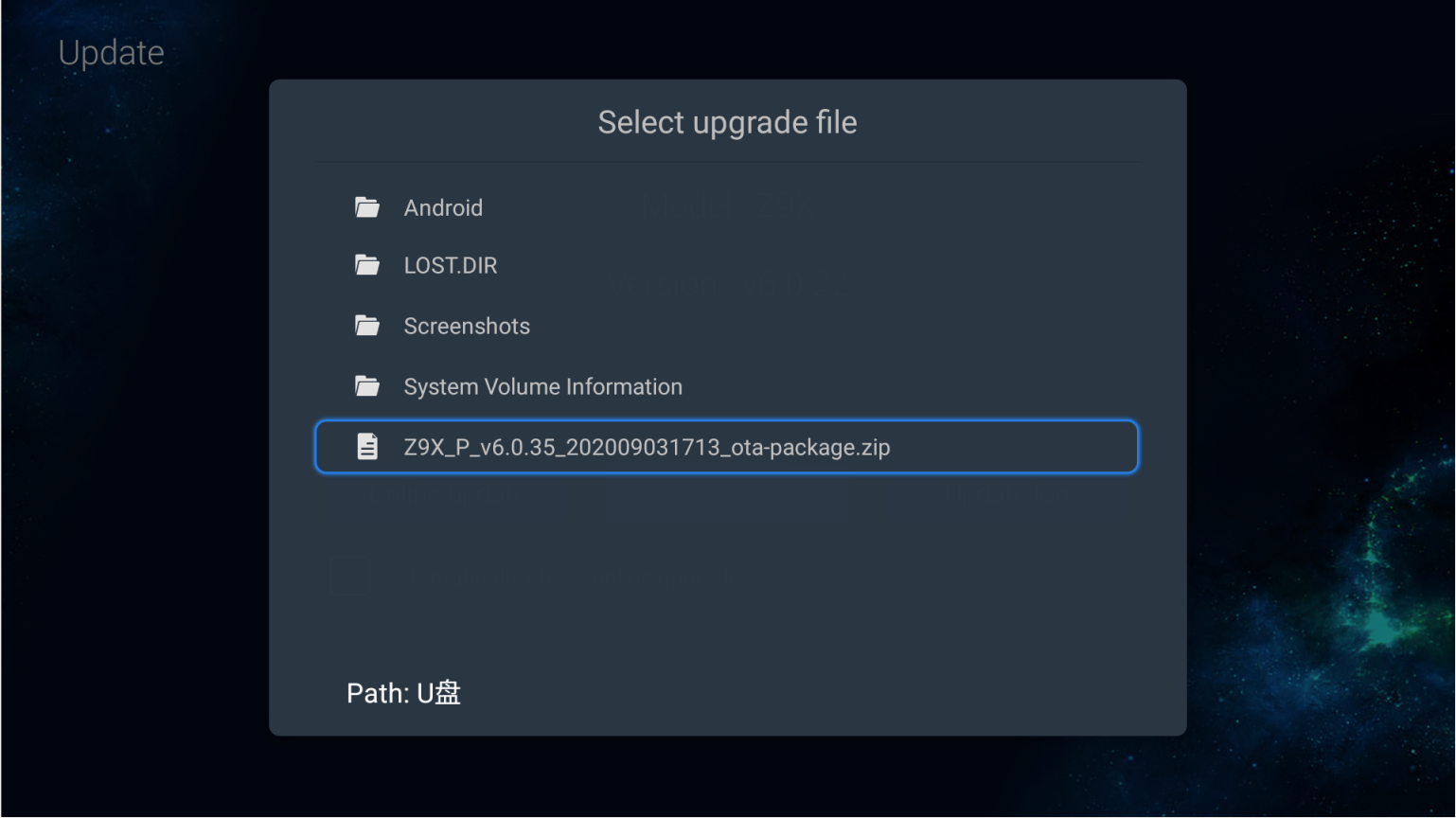
3.Choose the OTA file from your USB flash disk;
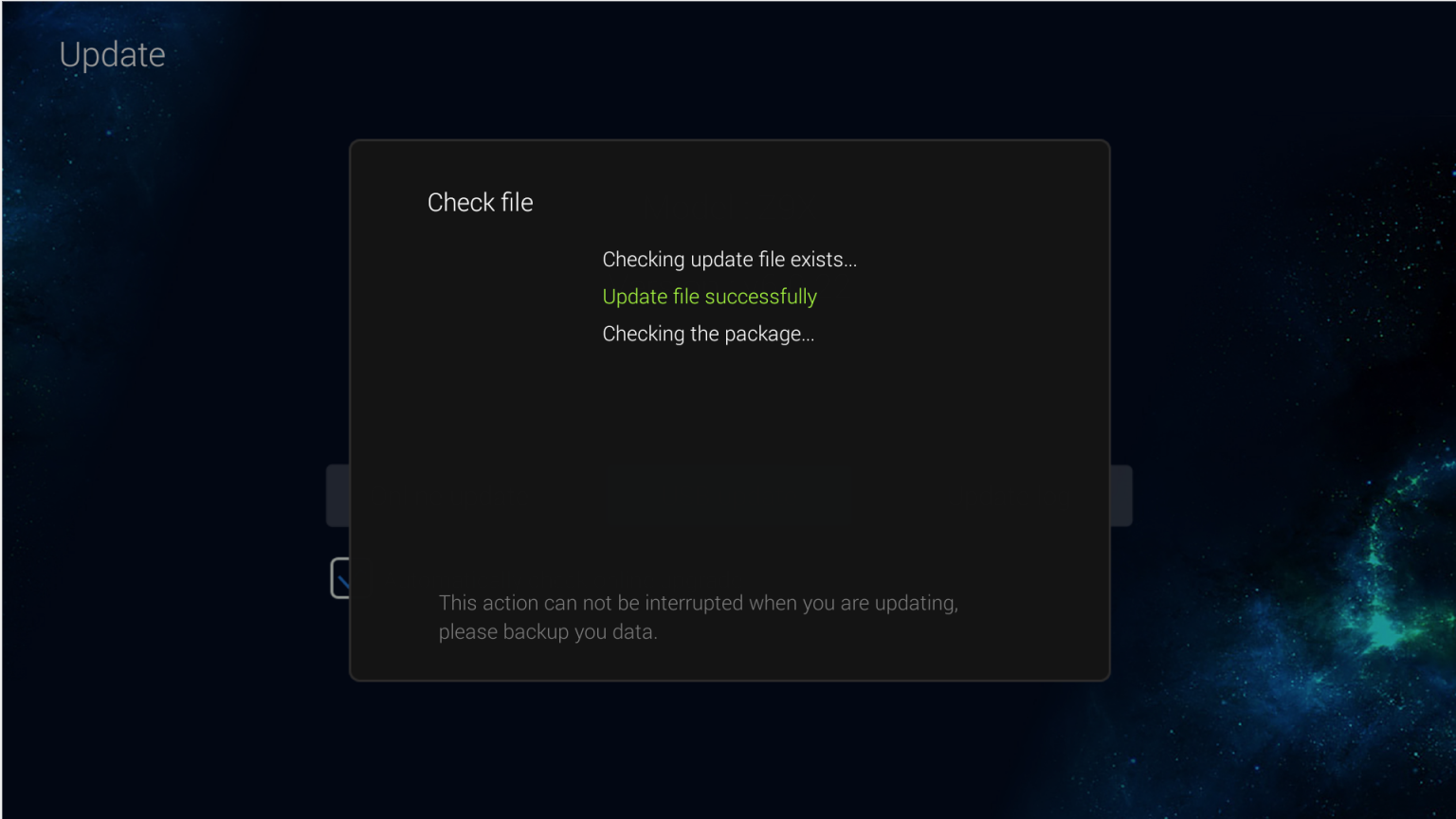
4.Verify the ota file;
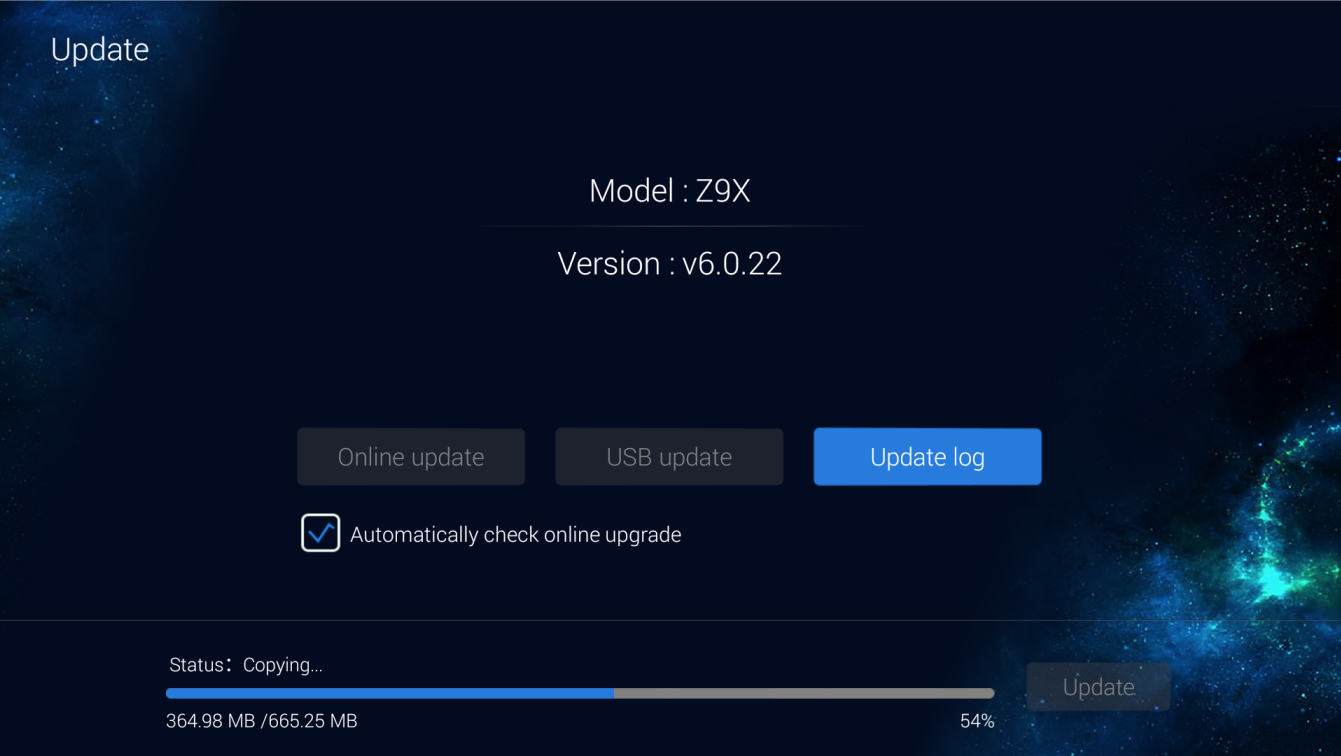
5.Waiting to copy file,when finished copy,click"Update";
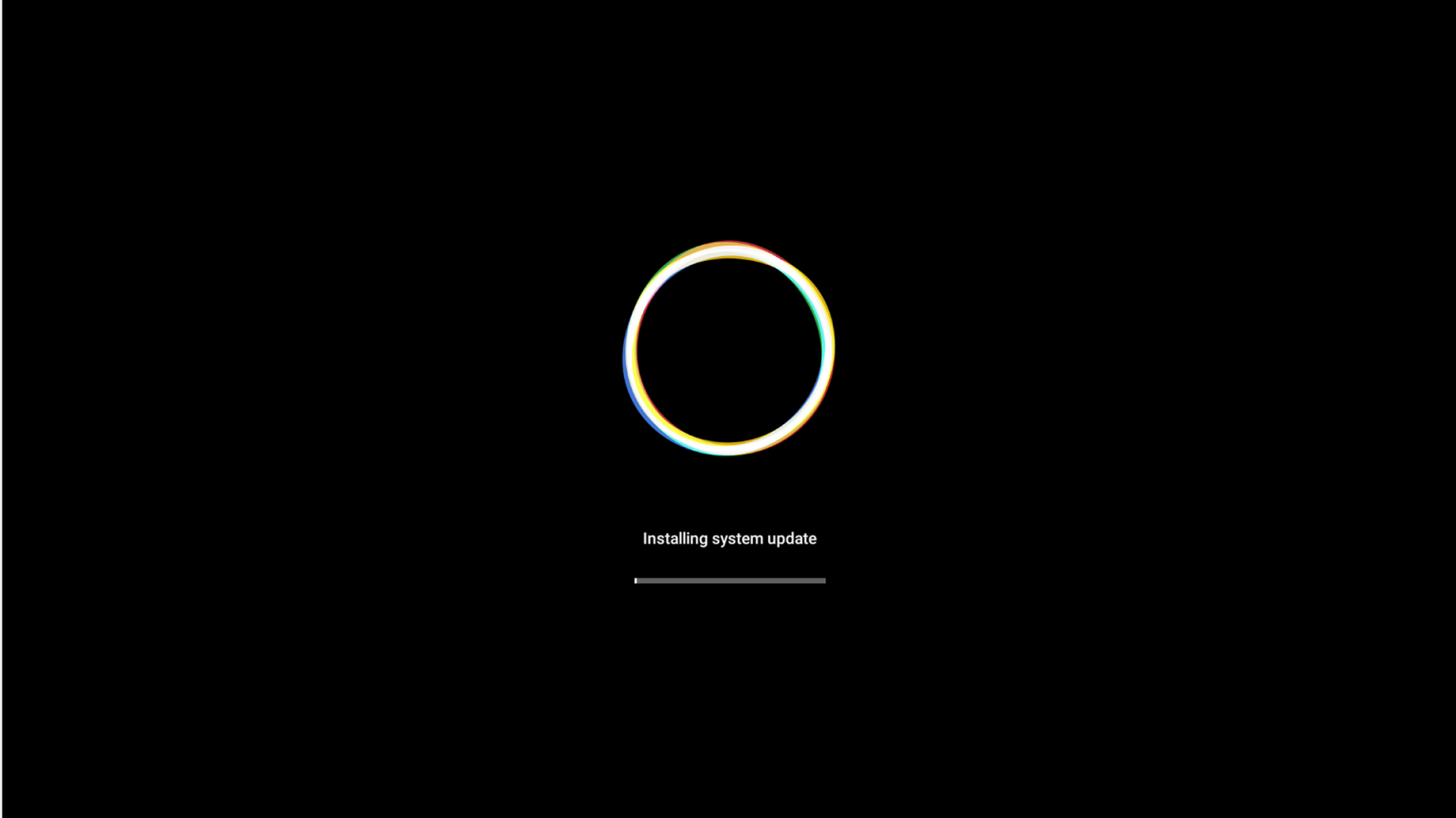
6.Wait the updating(please don't turn off the power);
7.When it is finished,the system will automatically restart,the upgrade is success.
Close